
All guides
- Getting started
- The Workspace
- Your chart
- Life areas
- Timing and calendars
- Advanced tools
- Account, saving and plans
Planetary Details table
Every column, badge and tab of the planet table: wide columns, special lagnas, varga view and the dasha tab.
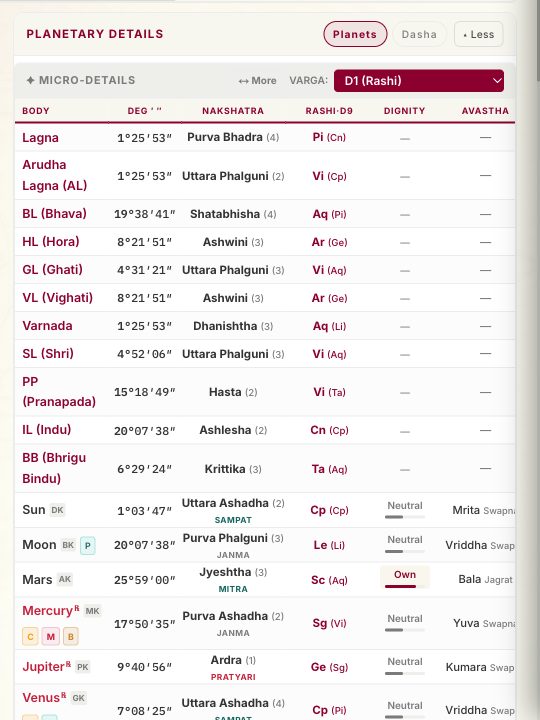 Open full size
Screenshots use a sample chart (15 Jan 1990, 10:30 am, New Delhi). Your screen shows your own chart.
Columns
- Body: the planet or point. Lagna and Arudha Lagna (AL) are at the top.
- Deg: degree, minute and second inside the sign.
- Nakshatra: the nakshatra with its pada in brackets. The small word under it (Janma, Sampat, Vipat, Kshema, Pratyari, Sadhana, Naidhana, Mitra, Parama Mitra) is its tara counted from your Moon nakshatra.
- Rashi·D9: the sign, with the Navamsha sign in brackets.
- Click ↔ to show wider columns: Dignity (exalted, own, friend, enemy, debilitated…) and Avastha (the planet's state). Click again for the compact view.
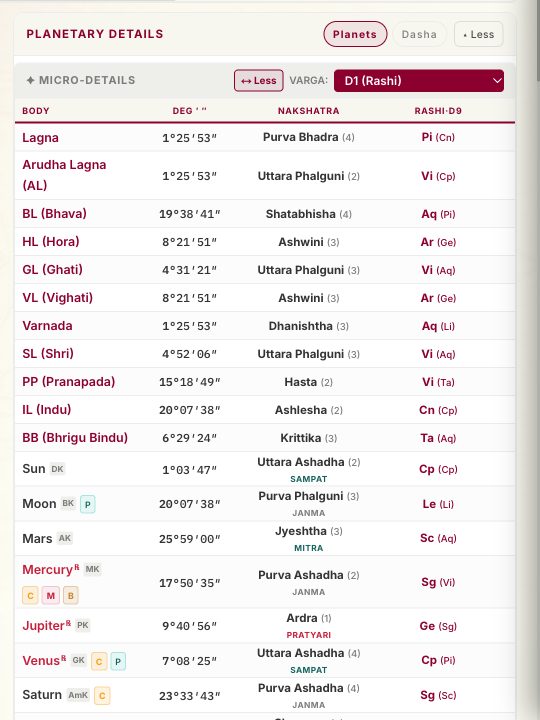 Open full size
Badges
- Karaka badges next to the name: AK Atmakaraka, AmK Amatyakaraka, BK Bhratrikaraka, MK Matrikaraka, PK Putrakaraka, GK Gnatikaraka, DK Darakaraka.
- Coloured letters under the name: C Combust, M Maraka, B Badhaka, G Gandanta, P Pushkara Navamsha, Y Yuddha (planetary war). The legend sits at the bottom of the table.
- A red name with ᴿ means the planet is retrograde.
 Open full size
More and Varga
- ▾ More adds the special lagnas and points: Bhava, Hora, Ghati and Vighati Lagna, Varnada, Shri Lagna, Pranapada, Indu Lagna and Bhrigu Bindu. ▴ Less hides them.
- Varga: switch the whole table to another divisional chart, or to Chalit (Bhava Chalit) to see which house each planet falls in by house cusps.
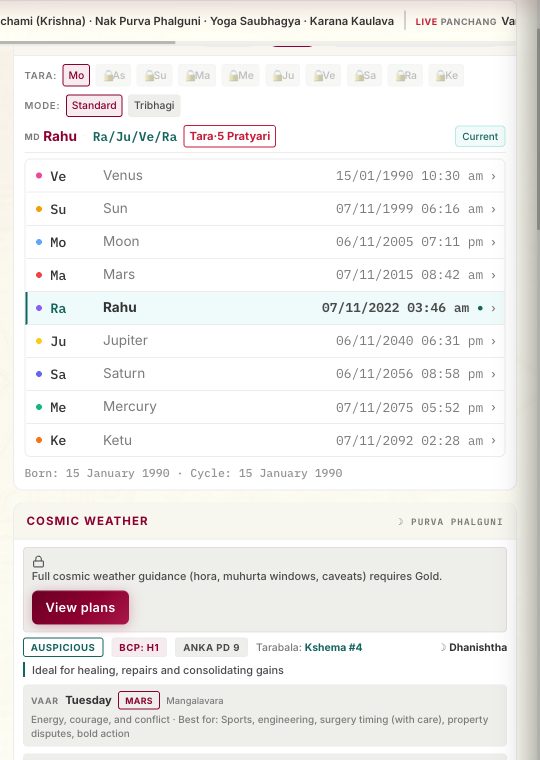
Dasha tab
- Click Dasha at the top of the panel to swap the table for a full dasha list.
- Choose the system: Vimshottari, Yogini, Chara (K.N. Rao), Chara (Rangacharya FE), Mandook, Sthir, Ashtottari or Kalachakra.
- Tara: counts the tara of each period from the Moon (free) or from another planet or the Lagna (Gold).
- Mode: Standard, or Tribhagi (the Vimshottari cycle split into thirds).
- Click › on a period to open its sub-periods. Click Planets to return to the table.