Vedaansh॥ श्री गणेशाय नमः ॥
WorkspaceTodayMy Charts
Consult
Astro DetailsPlanetsDashaDasha InterpretationHouseYogasInterpretationStellar (KP)
Readings
RelationshipCareerDosha & UpayTattva PredictionNaamkaranSolar ReturnNatal Panchang
Divisional Charts
Navamsha (D9)Chaturthamsha (D4)Saptamsha (D7)Dashamsha (D10)Dwadashamsha (D12)Drekkana (D3)Nakshatramsha (D27)
Strength & Analytics
AshtakavargaShadbalaBhava BalaVimsopaka
Transit
Live TransitForecastMoon PassagesCosmic RoadmapEclipsesSade SatiAspectsBi-wheelCalendar
Jaimini AstrologyNadi AstrologyLal KitabAstro VastuAstroCartographySarvatobhadra ChakraMuhurta FinderPrashnaVedic NumerologyKundali Matching
Birth Star
ProfilePlanetsStar LordsSensitive DegreesGandmool
Chakras
Nadi NakshatrasNavtaraTaramandalLife Journey
Transits
Slow TransitsKota ChakraStar Birthday
Timing
Best DaysMuhurtaPanchakaLattaGhatak
Guidance
CompatibilityCareerHealthRemediesName Letters
Daily PanchangMonthly Calendar
Pricing
Dash
Sign in
Vedaansh॥ श्री गणेशाय नमः ॥
Sign in
WorkspaceTodayMy Charts
Astro DetailsPlanetsDashaDasha InterpretationHouseYogasInterpretationStellar (KP)
RelationshipCareerDosha & UpayTattva PredictionNaamkaranSolar ReturnNatal Panchang
Navamsha (D9)Chaturthamsha (D4)Saptamsha (D7)Dashamsha (D10)Dwadashamsha (D12)Drekkana (D3)Nakshatramsha (D27)
AshtakavargaShadbalaBhava BalaVimsopaka
Live TransitForecastMoon PassagesCosmic RoadmapEclipsesSade SatiAspectsBi-wheelCalendar
Jaimini AstrologyNadi AstrologyLal KitabAstro VastuAstroCartographySarvatobhadra ChakraMuhurta FinderPrashnaVedic NumerologyKundali Matching
Nakshatra
Daily PanchangMonthly Calendar
Tools
GuidesApp GuideCRM / ClientsRequest a Feature
Account
Install AppAboutPricing
+ New Consultation
App Guide
  • Getting started
    • Getting started
    • Entering birth details
    • Finding your way around
    • Creating an account and signing in
  • The Workspace
    • Workspace overview
    • Reading the charts
    • Chart settings (⚙) in depth
    • Transit Overlay
    • Planetary Details table
    • Today's Timeline, Active Houses and Dasha Insight
    • Panels below the charts
  • Your chart
    • Dashas, divisional charts and analysis
    • Today's reading
  • Life areas
    • Relationship and marriage
    • Career and profession
    • Dosha and Upay
    • Kundali Milan (matching)
  • Timing and calendars
    • Transits (Gochar)
    • Panchang and calendar
    • Muhurta finder
    • Nakshatra tools
  • Advanced tools
    • Jaimini, Nadi, Vastu, AstroCartography and SBC
    • Lal Kitab
    • Prashna (horary)
    • Vedic numerology
  • Account, saving and plans
    • Saving charts and My Charts
    • Sharing, PDF and email
    • Client CRM (Platinum)
    • Account settings
    • Plans and billing
All guides
  • Getting started
    • Getting started
    • Entering birth details
    • Finding your way around
    • Creating an account and signing in
  • The Workspace
    • Workspace overview
    • Reading the charts
    • Chart settings (⚙) in depth
    • Transit Overlay
    • Planetary Details table
    • Today's Timeline, Active Houses and Dasha Insight
    • Panels below the charts
  • Your chart
    • Dashas, divisional charts and analysis
    • Today's reading
  • Life areas
    • Relationship and marriage
    • Career and profession
    • Dosha and Upay
    • Kundali Milan (matching)
  • Timing and calendars
    • Transits (Gochar)
    • Panchang and calendar
    • Muhurta finder
    • Nakshatra tools
  • Advanced tools
    • Jaimini, Nadi, Vastu, AstroCartography and SBC
    • Lal Kitab
    • Prashna (horary)
    • Vedic numerology
  • Account, saving and plans
    • Saving charts and My Charts
    • Sharing, PDF and email
    • Client CRM (Platinum)
    • Account settings
    • Plans and billing
App Guide/Account, saving and plans

Sharing, PDF and email

Send a chart to someone as a link, a PDF report or an email.
Open in Vedaansh Free · more with Gold12 steps
Chart actions at the top right of the Workspace: share, PDF, email, edit and new.Open full size
Figure 1 Chart actions at the top right of the Workspace: share, PDF, email, edit and new.

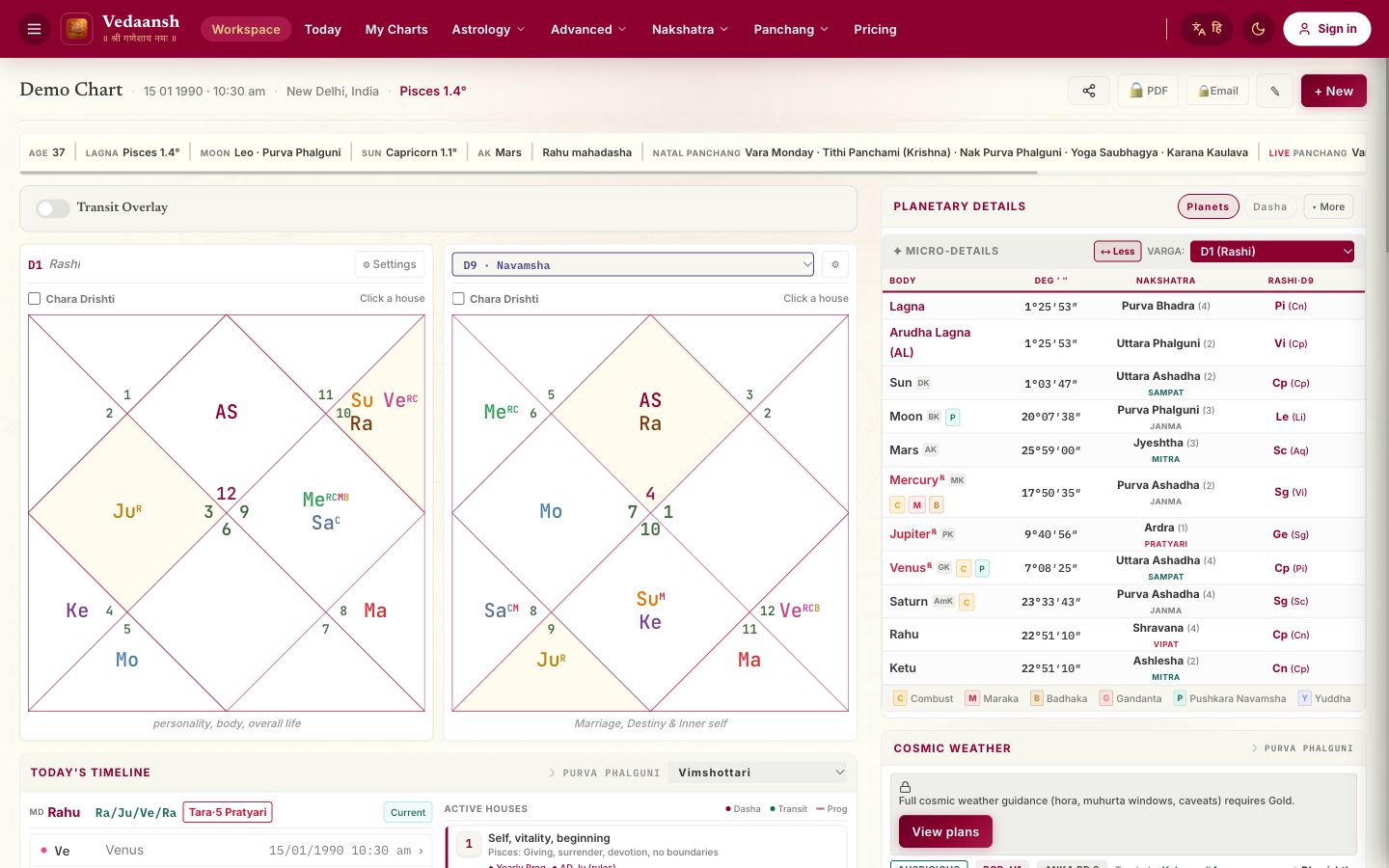
Screenshots use a sample chart (15 Jan 1990, 10:30 am, New Delhi). Your screen shows your own chart.

Share link (free)

  1. Click the share icon next to PDF. A link is copied.
  2. Anyone who opens it sees the same chart. No login is needed.

Public chart page

  1. In My Charts, click 🔗 Share on a saved chart to make it public.
  2. Open the public page to copy its link. Click again to make it private.

PDF and email

  1. PDF (Gold): downloads a full chart report, in English or Hindi to match your language. You can include a Lal Kitab chapter.
  2. Email (Platinum): sends the report to a client's email address.
  3. Platinum branding: your business name and logo from Account → Consult branding appear on PDFs and shared charts.

AI prompt (ask any AI about a chart)

  1. Click ✦ AI prompt next to PDF. Personality and mind is ticked by default; tick more topics such as career, love life, marriage, wealth, health, education, children, spirituality or Lal Kitab.
  2. Click Copy prompt (or Download .md), open ChatGPT, Claude or Gemini, paste it, then ask your question. If the AI says the message is too long, switch Prompt length to Short and copy again.
  3. The prompt carries every calculation (planets, houses, aspects, Shadbala in rupas, vargas, dashas, yogas) and tells the AI to use these numbers rather than recalculate.
  4. Free: calculations and each topic's method. Gold and Platinum: our full readings are added too.
  5. Tick Leave out the name before sharing. Birth date, time and place stay in the prompt and go to the AI service you paste it into.
PreviousSaving charts and My ChartsNext Client CRM (Platinum)

On this page

  1. Share link (free)
  2. Public chart page
  3. PDF and email
  4. AI prompt (ask any AI about a chart)